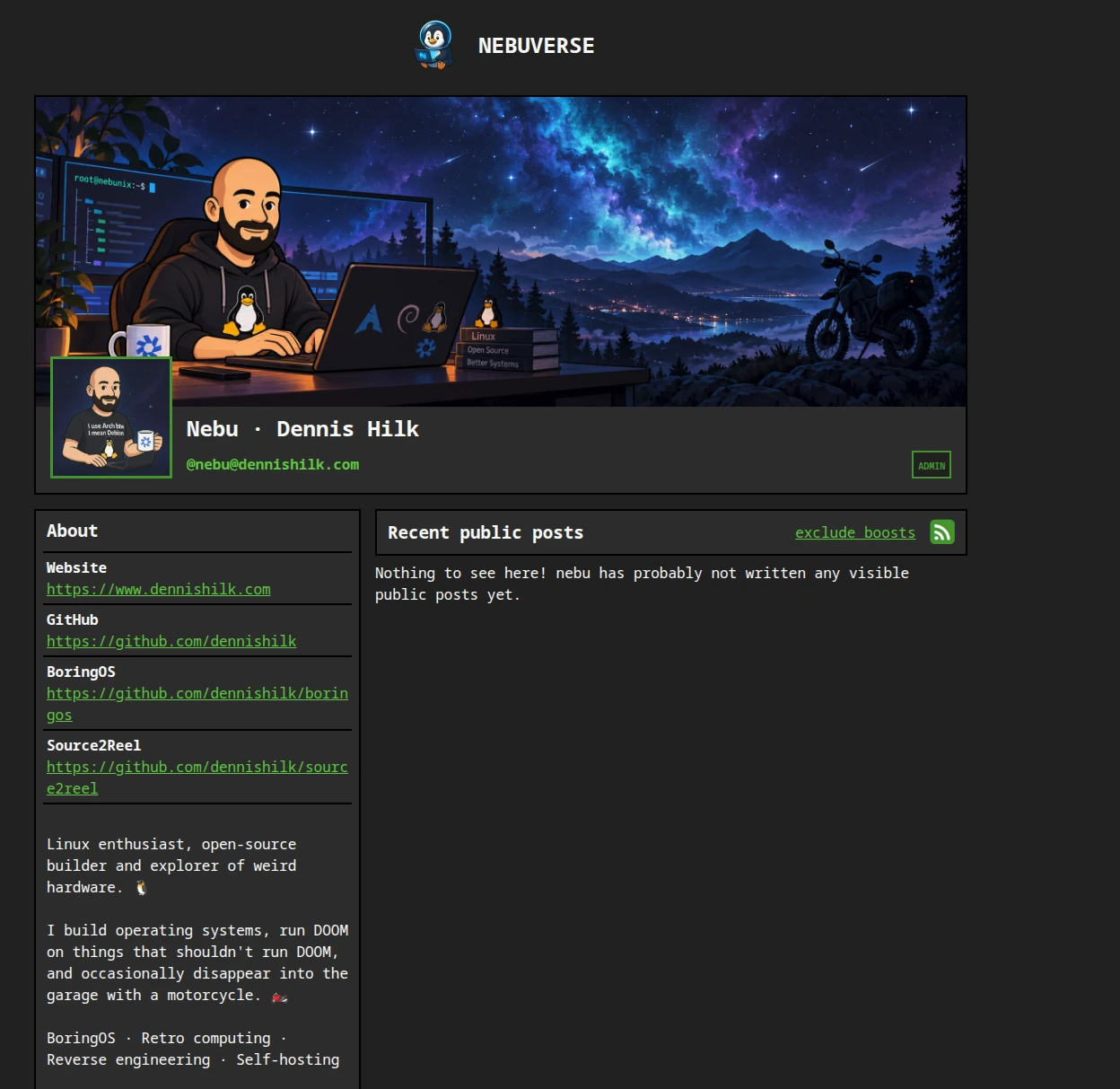
On 7 October 2026, curiosity got the better of me. Not because I desperately needed another service, but because I wanted to understand what running my own ActivityPub server actually feels like. Why not? I want to know how it works. A day later, NEBUVERSE was online – on the same Debian server already hosting my website and other projects.
I did not want another infrastructure zoo
Worldnode is not an empty VPS waiting for a new hobby. It already runs Debian 13, nginx and several other jobs. Before installing anything, we checked the machine: roughly 4 vCPUs, 23.3 GiB RAM and 110 GiB disk in total. My biggest question was whether a personal social server could fit alongside those jobs without taking over the machine. I also wanted no Docker.
I considered Mastodon, Akkoma, Snac2 and GoToSocial. Mastodon is established and feature-rich, but brings a larger service stack. Akkoma offers appealing flexibility; Snac2 is fascinatingly minimal. GoToSocial offered the balance I was looking for: a native service, SQLite and my existing nginx reverse proxy.
“It works! … Why is the timeline empty?”
Installation was surprisingly uneventful: DNS, HTTPS, SQLite, systemd and my new account. Then I published the first public post, and somebody on a completely different instance was able to find me and say hello. That was the moment my tiny server became part of the Fediverse for real.
There was still one funny moment. I was happily clicking around the interface and had forgotten about Relay Pushes and Relay Subscriptions. My federated timeline looked rather lonely. Federation was already working: you can follow other accounts and exchange posts without a relay. A brand-new, barely connected instance simply does not know every public post on the network.
I now use https://relay.infosec.exchange/actor for both directions. For my relay subscription I selected #Linux, #OpenSource, #Homelab, #SelfHosting, #RetroComputing and #DOOM. Those are my filters, not a requirement for anyone else's instance.
Why two relay directions?
A relay is not a global news archive. Switch the direction to see what each connection does.
Subscription: the relay can deliver matching public posts to my instance.
Schematic only. Relay approval and filtering rules still apply. This demonstration sends no data.
The architecture that actually runs on Worldnode
Internet / other Fediverse instances
             │ HTTPS · ActivityPub
             ▼
social.dennishilk.com → nginx :443
             │ reverse proxy over loopback
             ▼
      127.0.0.1:8080
             │
       GoToSocial / systemd
             ├── SQLite: /var/lib/gotosocial/sqlite.db
             └── media:  /var/lib/gotosocial/storage

@nebu@dennishilk.com
             │ WebFinger on dennishilk.com
             └── points to social.dennishilk.com
The distinction between host: social.dennishilk.com and account-domain: dennishilk.com is deliberate. I wanted to keep the short handle @nebu@dennishilk.com. This decision needs to happen before an instance starts federating: changing the identity domain afterwards can break previously established relationships.
Rebuild it: My Debian 13 approach without Docker
Here is the sequence we actually followed. These snippets are practical examples using verified public paths, not a script to paste blindly over someone else's nginx deployment. Read the official bare-metal guide and the split-domain documentation first.
- Decide before first launch: DNS, host domain, account domain, email delivery, signup policy and backup plan. My DNS A record for
social.dennishilk.compoints at Worldnode. Public registrations are disabled. - Official release, not a container: We downloaded the 0.22.1 Linux-amd64 release with WASM support, verified its SHA256 checksum against the official release, and extracted it to
/opt/gotosocial. Always fetch the archive and checksum from the same official release. Releases and architecture support. - Separate service account: The process runs under a dedicated
gotosocialuser. Its configuration lives in/etc/gotosocial/config.yaml, persistent content under/var/lib/gotosocial. Restrict permissions: configuration may contain secrets. - SQLite on localhost: I use SQLite and local media files. nginx handles public HTTPS and GoToSocial listens only on loopback.
# excerpt of the verified domain and storage layout
host: "social.dennishilk.com"
account-domain: "dennishilk.com"
protocol: "https"
bind-address: "127.0.0.1"
port: 8080
letsencrypt-enabled: false
db-type: "sqlite"
db-address: "/var/lib/gotosocial/sqlite.db"
storage-backend: "local"
storage-local-base-path: "/var/lib/gotosocial/storage"- Run it with systemd: We adapted the service template shipped with the release and checked it with
systemd-analyze verify. The startup command below matches the service running on Worldnode.
# relevant gotosocial.service settings
[Service]
User=gotosocial
Group=gotosocial
WorkingDirectory=/opt/gotosocial
ExecStart=/opt/gotosocial/gotosocial --config-path /etc/gotosocial/config.yaml server start

sudo systemctl enable --now gotosocial.service
sudo journalctl -u gotosocial.service -n 50 --no-pager- nginx and TLS: nginx and Let's Encrypt terminate HTTPS for
social.dennishilk.com, proxying tohttp://127.0.0.1:8080. The forwarded host header is essential for valid URLs and federation signatures. We tested the nginx configuration and the public HTTPS endpoint. Official nginx instructions. - WebFinger for the short handle: On
dennishilk.com, three exact well-known endpoints redirect to the social host, preserving query parameters. Do not redirect the entire website or/api/.
# inside the existing HTTPS server{} for dennishilk.com
location = /.well-known/webfinger {
    return 301 https://social.dennishilk.com$request_uri;
}
location = /.well-known/host-meta {
    return 301 https://social.dennishilk.com$request_uri;
}
location = /.well-known/nodeinfo {
    return 301 https://social.dennishilk.com$request_uri;
}
sudo nginx -t
sudo systemctl reload nginx- Create the account and verify it: GoToSocial must start once to initialize the database. Then create your user with the
admin account createCLI and promote the administrator withadmin account promote. Never publish passwords in commands, shell history or screenshots; see the official CLI reference. Our public profile and WebFinger lookup both worked.
systemctl status gotosocial.service --no-pager
curl -I https://social.dennishilk.com/
curl -i 'https://dennishilk.com/.well-known/webfinger?resource=acct:nebu@dennishilk.com'
# The first response may be a redirect.
# Verify the destination and final WebFinger JSON.
Do not paste nginx snippets blindly: Existing virtual hosts, certificates and redirect rules determine where these directives belong. I am showing verified public values, not posting a complete private production configuration.
And the social media client?
GoToSocial has its own instance and settings pages, but not the same full integrated web client as Mastodon. I use Elk in my browser as a Mastodon-compatible client. I do not self-host Elk. A third-party web app represents another trust decision: check the application and authorization scopes before connecting an account.
What does GoToSocial actually cost Worldnode?
I measured the live service rather than quoting theoretical requirements. ps reported about 2.1% CPU averaged over the process lifetime – not instantaneous CPU utilization. Reading /proc/<pid>/status provided resident memory and the peak since process start:
Measured 11 October 2026. This is the GoToSocial process alone, not nginx, the kernel, the OS or filesystem caches. It is not a benchmark for larger instances.
I also built Site Traffic Observer to keep an eye on storage. Its public telemetry comes from a local Python collector with a systemd timer; it does not expose GoToSocial credentials. A snapshot on 11 October showed 1.74 GiB media, around 28.55 MiB SQLite, 1.77 GiB total and 70.14 GiB free. My warning thresholds are 5 GiB used or less than 10 GiB free. Federation comes with storage costs too.
Backups: test before making promises
On 8 October I already had a manual backup under /var/backups/gotosocial/, including SQLite, storage, and configurations for GoToSocial, systemd, nginx and the domain redirects. On 11 October we upgraded this to an encrypted Restic repository. The nebuverse-backup.service is scheduled by nebuverse-backup.timer every day at 03:30 Worldnode system time.
The script at /usr/local/sbin/nebuverse-backup uses Python's SQLite backup API for a consistent live snapshot, checks it with PRAGMA quick_check, and encrypts the database, media, settings, nginx, certificates and the backup automation itself. It then removes the temporary unencrypted database file. The retention policy aims for 7 daily, 4 weekly and 6 monthly restore points.
Testing limits: We tested a database restore and Restic's data integrity, not a complete clean-room rebuild of the instance. The final --group-by host,tags retention adjustment passed syntax checks, but had not completed its next actual backup run as I wrote this. I have separately stored the encryption key. My plan is to copy the complete repository to my NAS manually once a week – the off-server copy was not yet confirmed at publication. Local backups sit on the same virtual disk as the service; they do not replace off-server copies.
What I learned from my own Fediverse corner
I now run my own tiny Fediverse instance. Not because it is the easiest way to post, but because I wanted to know what happens behind an account, a delivered message and a federation request. Seeing the service start was satisfying. Getting that first reply from another server was better.
There is also responsibility: updates, certificates, moderation, abuse reports, storage, backups and recovery. So far Worldnode seems to be handling the load well. And when I open my timeline now, I understand a little better why something appears there.
Documentation and evidence
GoToSocial bare metal · nginx reverse proxy · Split domain and WebFinger · Relay subscriptions · Relay pushes · Restic · my public telemetry implementation. Screenshots and measurements are from 8–11 October 2026; documentation links may change later.