In this article
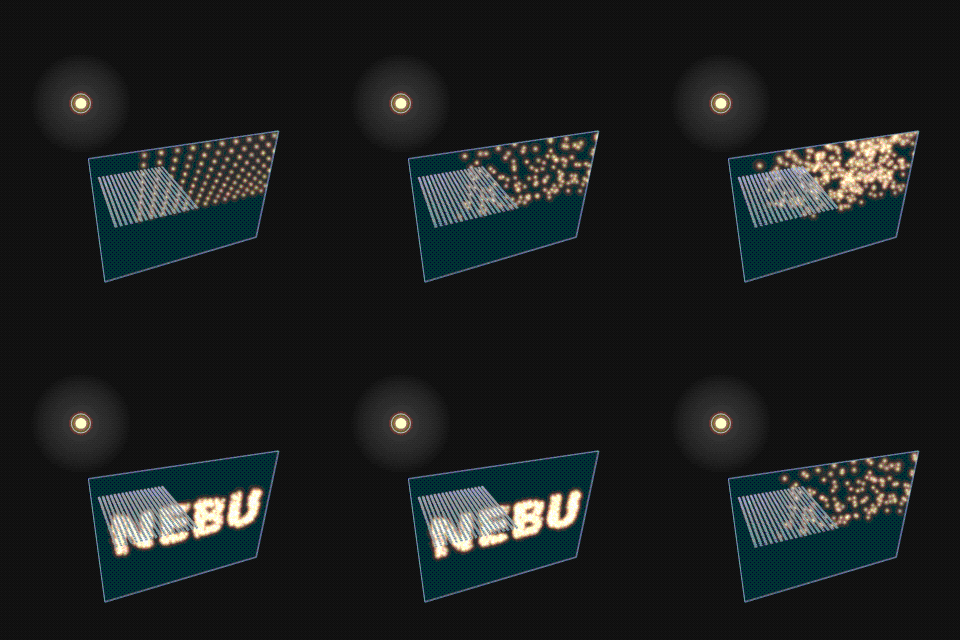
A name written in light, made by hundreds of mirrors. RAYMOSAIC is my browser-based experiment in making optics feel personal: type a name, watch a simulated mirror array align, and share the result as an animated GIF.
The idea: a small message worth sharing
The experience starts with a simple gesture. Type a short name, select Create, and 448 individual mirrors arrange the reflected rays into a readable projection. The quickest route creates a compact animated GIF immediately; a more detailed export dialog allows different aspect ratios and durations.
I wanted this to work as a tiny gift, not a complicated design program. The 3D instrument remains available for people who want to investigate what is happening. The simple creative journey comes first.
\nThere really is a reflection calculation
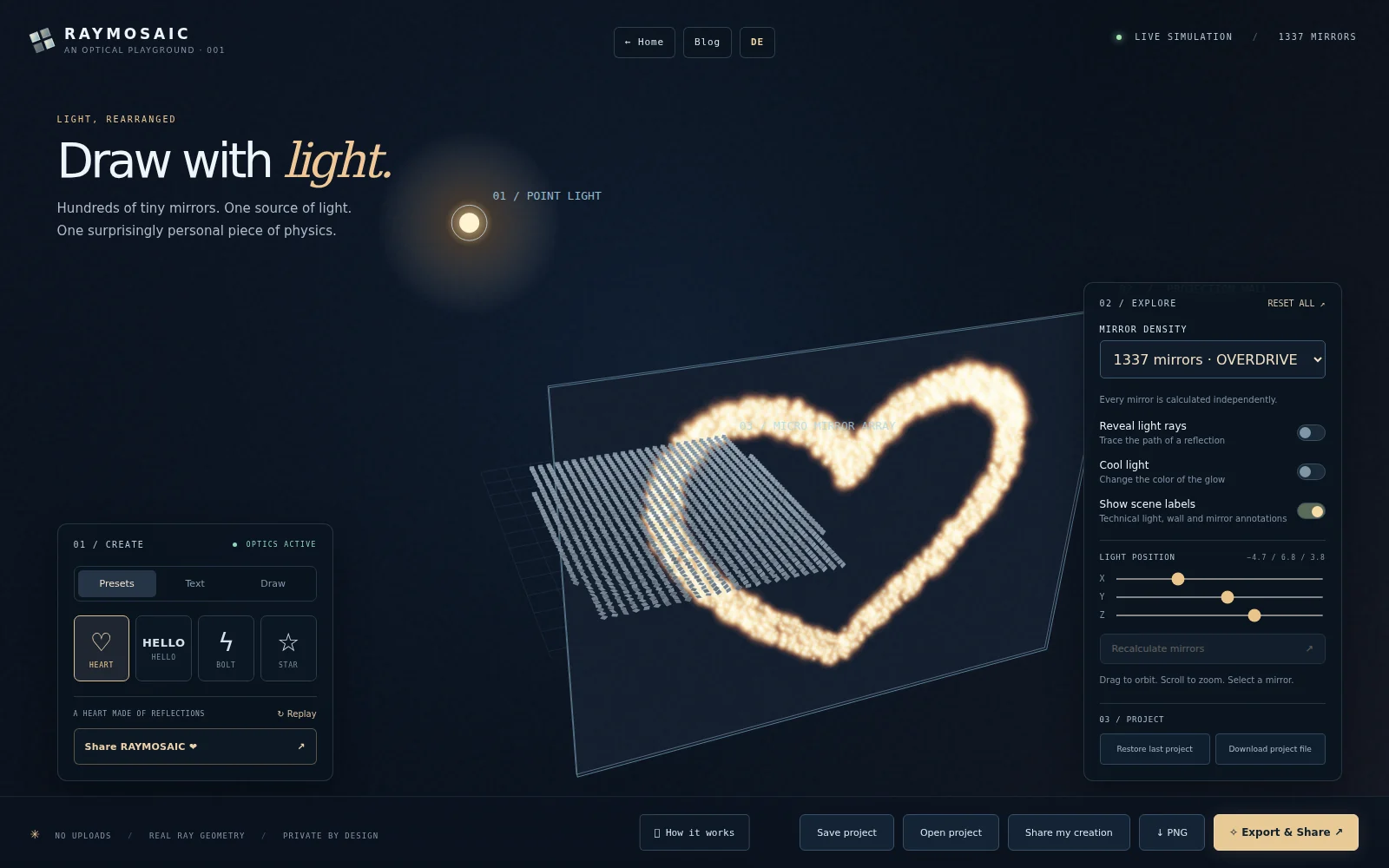
Each of the 28 × 16 mirror facets has a position and orientation. RAYMOSAIC takes the chosen target shape and computes where each facet must aim for a point-like light source to send light towards a projection wall.
In the independent forward pass, the direction of a reflected ray follows r = i − 2(i · n)n, where i is the incident direction and n is the mirror normal. The wall is drawn from ray intersections — the source text or drawing is not pasted onto the wall as a texture.
Try moving the light source without recalculating. The projection changes because the mirrors still face the previous lamp position. Select Recalculate mirrors to solve the orientations again. You can also reveal rays or inspect an individual mirror.
\nFrom a name to an animated GIF
Use the Text tab for a name of up to 13 characters; short messages look clearest with 448 mirrors. The one-step GIF gift action uses a smaller frame and a short loop to make mobile exports more practical.
PNG captures a still image. GIF encodes real rendered frames in a browser Web Worker; progress and cancellation stay available. When your browser supports sharing files, the native share sheet can hand the GIF to another app. Otherwise download it and send it as an ordinary file. Some messengers convert GIFs or show them differently, so a perfect WhatsApp preview is not guaranteed on every device.
\nSave, reopen or send a link
A project file contains the motif, drawing mask, light position, camera, color choices and mirror orientations in a versioned JSON format. You can reopen it later, independently of the browser's own local storage.
For small designs, RAYMOSAIC can compress the project into the URL fragment. Anyone receiving that URL can recreate the motif without signing in, and the drawing is not uploaded to a server to make the link. Large projects should be shared as downloaded project files instead. A link is still a disclosure to its recipients: do not put secret messages into a link you plan to publish.
\nWhat the simulation does — and does not — claim
This is a geometrical-optics playground, not an industrial lighting or ray-tracing package. The source is an idealized point light; mirrors are perfect planar facets; glow is a visualization. The model does not include diffraction, polarization, shadowing between mirrors, global illumination or wavelength-dependent material behavior.
The deliberate simplifications keep the effect inspectable, understandable and practical in a static website. The code is open source, including the optics mathematics, Canvas 2D renderer and GIF encoder.
\nTry RAYMOSAIC yourself
Open the interactive RAYMOSAIC light laboratory, type a short name, export the result and send someone a little light. If you prefer reading code, the RAYMOSAIC GitHub repository includes the source, examples, architecture notes and tests.