Short version
Can a Cisco CP-9951 run DOOM?
Yes. Natively, locally, persistently and offline.
The final v.666 build executes on the phone's ARM CPU, renders directly to /dev/fb1, reads the real Cisco keypad from /dev/input/keypad0, produces audible sound through the phone's local media path, survives reboot and launches from Applications → Doom.
The actual chronology
This project only makes sense as a story, because the answer to “is DOOM running on the Cisco?” changed several times. The first three stages still depended on Cthulhu. The decisive break came with the local shell; only after that did the runtime move onto the phone itself.
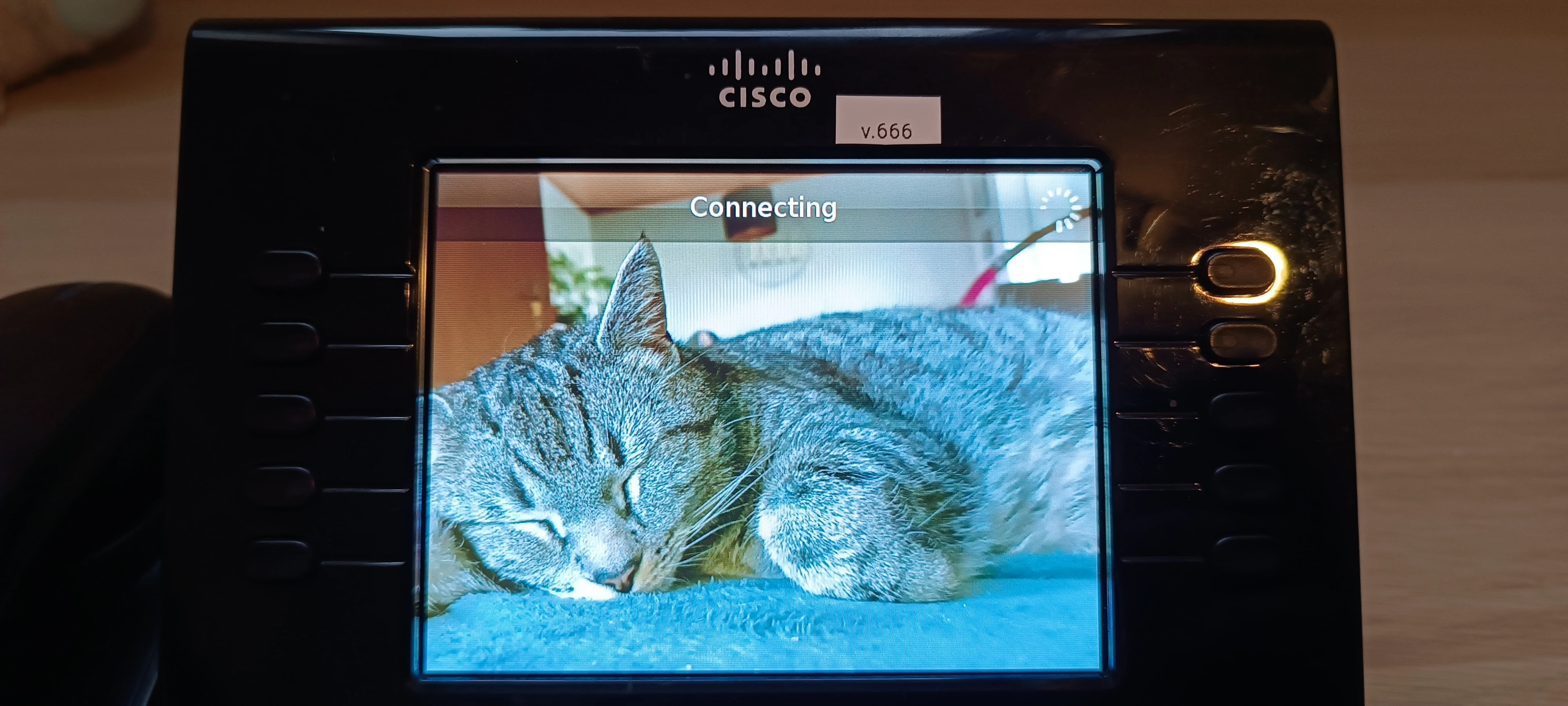
Prologue: a €35 office phone arrives; the cat becomes the wallpaper.
1 · Werner: prove the stock phone can receive useful H.264 video and PCMU audio.
2 · Streamed DOOM: Cthulhu runs the game; the Cisco receives it on extension 666.
3 · Cisco controller: real phone keys → DTMF → Asterisk AMI → uinput → remote DOOM.
4 · Shell: Cisco's diagnostic SSH path gives us MontaVista Linux on the phone.
5 · Raven hardware: inspect the framebuffer and reverse engineer /dev/input/keypad0.
6 · Native DOOM: execute, render and read input directly on the Cisco.
7 · Local sound: make the phone's own media path produce game audio.
8 · Persistence: install under flash storage and launch from Applications → Doom.
Final: pull Ethernet, cold boot, launch and play completely offline.
Prologue — a €35 office phone arrives
The experiment started with a used Cisco Unified IP Phone CP-9951. The original plan was simple reconnaissance: understand provisioning, SIP, video, the local hardware and whatever useful interfaces Cisco had left exposed.
The phone stayed on its normal Cisco firmware, sip9951.9-2-1. Cthulhu supplied DHCP/TFTP provisioning and Asterisk handled SIP. One engineering requirement was established immediately and never revisited: the cat background stays.
At this point there was no native-DOOM plan. It was simply a very cheap enterprise phone that clearly had more computer inside it than a phone had any business having.
1 — Werner on 111
The first deliberately unnecessary application was Werner. Before touching DOOM, we wanted a clean proof that the stock CP-9951 could be used as a real H.264/PCMU endpoint with the existing firmware.
Provisioning enabled the phone's H.264 receive path, Asterisk routed extension 111, and Baresip delivered 640×480 H.264 video plus PCMU audio. Call 111 and Werner appeared on the office phone. Completely sensible use of enterprise telephony hardware.
Cthulhu
 ↓ H.264 + PCMU
Asterisk / Baresip
 ↓ extension 111
Cisco CP-9951
 ↓
Werner
Werner is cult in Germany — the comics and films are part of the cultural furniture here. If you have never met him: Werner is the character created by German cartoonist Rötger Feldmann (“Brösel”); this ice-race scene comes from Werner – Das muß kesseln!!! (1996).
Nobelschröder has parked his car on a frozen lake. He gets out and immediately realizes how slippery it is: “Whoa, this is slippery.” Werner replies, “Can't you at least greet us properly?” Andi adds, “Come on, give us a proper bow.”
Nobelschröder tries, slides away, does roughly half a somersault and lands on his head. Werner's dry conclusion: “He's wrecking all the ice with that wrecking ball of his.” That is what is playing on extension 111. :D
That mattered because it proved the stock phone could already be our screen and speaker. The next question was obvious only in retrospect: if Werner works, what happens on extension 666?
2 — Live DOOM on 666: still running on Cthulhu
The first DOOM success was not native. DOOM still ran on Cthulhu under Wayland/Sway and the Cisco received the live result as a video call.
DOOM / Sway on Cthulhu
 ↓
wf-recorder
 ↓
v4l2loopback (/dev/video42)
 ↓
Baresip / H.264 RTP
 ↓
Asterisk
 ↓ extension 666
Cisco CP-9951
The first media path technically worked but buffered several seconds, which is fine for watching a clip and terrible for DOOM. Moving the live capture to v4l2loopback removed that multi-second delay and made the display close enough to realtime to become ridiculous in a much more useful way.
The Cisco was displaying DOOM and playing the call audio, but the game process was still on Cthulhu.
3 — Recording 03: the Cisco really controls DOOM
Displaying DOOM on the phone was funny. Actually playing it with the phone was better. The last missing piece of the streamed phase was input.
The real number keys sent RFC4733 DTMF during the active call. Asterisk exposed those events over a localhost-only AMI connection, and a tiny Python bridge turned them into real Linux keyboard events through /dev/uinput.
Cisco CP-9951 keypad
 ↓
DTMF / RFC4733
 ↓
Asterisk
 ↓
AMI DTMF events
 ↓
local Python bridge
 ↓
Linux /dev/uinput
 ↓
DOOM Retro on Cthulhu
2 = forward       8 = backward
4 = turn left     6 = turn right
5 = fire          0 = use / open
The existing video/audio path stayed untouched; AMI remained local to Cthulhu.
The Cisco was now both display and controller. DOOM was still not running on the phone. It was already ridiculous enough to stop here. We did not stop here.
4 — The turning point: getting into the real Linux shell
This is where the project stopped being a clever SIP trick. Cisco provided a diagnostic SSH-access path for this 89xx/99xx generation, so we used the already-working provisioning chain instead of replacing firmware or touching the bootloader.
Cthulhu
 ↓
dnsmasq / TFTP
 ↓
SEPC40ACB4D05D0.cnf.xml
 ↓
Cisco CP-9951
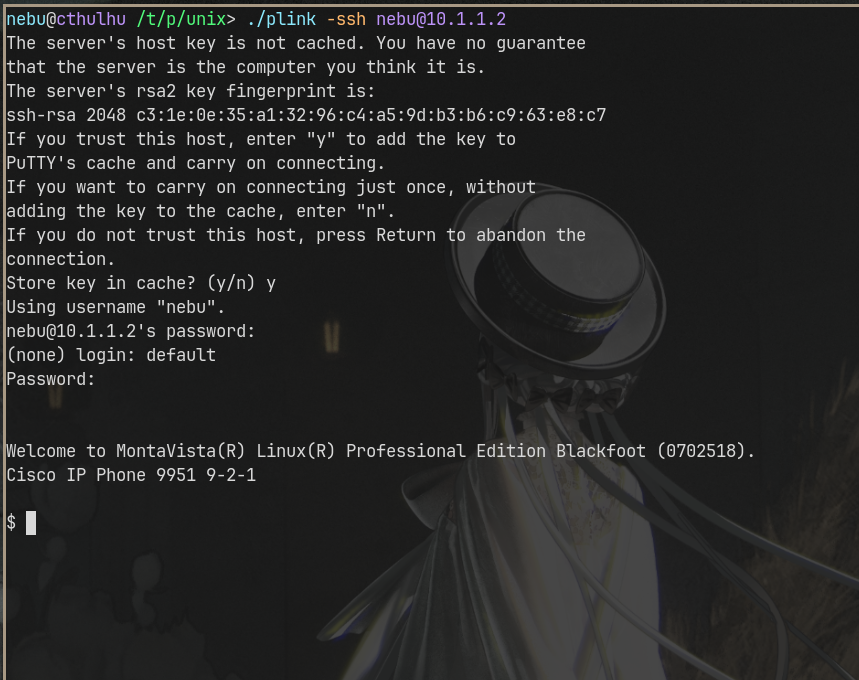
The working SEP configuration was backed up first. SSH credentials were added through provisioning, and the phone exposed TCP port 22. The server is old enough that a period-compatible client was the practical answer:
/tmp/putty-0.60/unix/plink -ssh nebu@10.1.1.2
The first SSH authentication was only the outer diagnostic login. Then the phone presented a second login for the embedded system. On the tested sip9951.9-2-1 firmware, Cisco's internal shell login was default / cisco.
Mentally I was already opening Google, expecting some forgotten 2011 service manual, a dead forum thread and a factory password that looked like C1sc0!raven#diag$ or 2434!!$$5/b. Better make an Ostfriesentee first.
Password? ... uh ... cisco?
Enter.
First try.
The phone, essentially: “Ja moin. Welcome to MontaVista(R) Linux(R) Professional Edition Blackfoot.”
Okay. Let's go. :D
Welcome to MontaVista Linux Professional Edition Blackfoot

Linux 2.6.18_pro500
ARMv6 / ARMv6TEJ
Hardware: raven
roughly 244 MB RAM
Cisco Enhanced BusyBox 1.9.1

uid=65533(default)
gid=100(users)

The question changed immediately from “how far can this phone act as a DOOM terminal?” to “if this thing is Linux on ARM, can we just run DOOM directly on it?”
So what is actually inside this thing?
The shell was not root, but it exposed a surprisingly normal embedded Linux computer: ARMv6, a 2.6.18-era MontaVista kernel, BusyBox, roughly 244 MB of RAM and hardware identified as raven.
More importantly, the interfaces we needed were already there:
/dev/fb0
/dev/fb1
/dev/fb2
/dev/fb3

/dev/input/keypad0
/dev/input/touchscreen0
/dev/input/hookswitch0
At that point the project had a completely different shape. No custom firmware was necessary. We had a framebuffer, real input devices and enough userspace to start treating the phone like the small ARM Linux computer it had been all along.
5 — Raven keypad and the local hardware path
The physical keypad was measured directly. Kernel symbols and device behavior exposed the Raven keypad and Cisco keyhandle path:
physical key
 ↓
Raven keypad hardware driver
 ↓
Cisco keyhandle layer
 ↓
/dev/input/keypad0
 ↓
local userspace application
The device produces 16-byte Linux-style input records. Navigation cluster, numeric pad, softkeys, line keys, volume keys and feature buttons were mapped on the real phone.
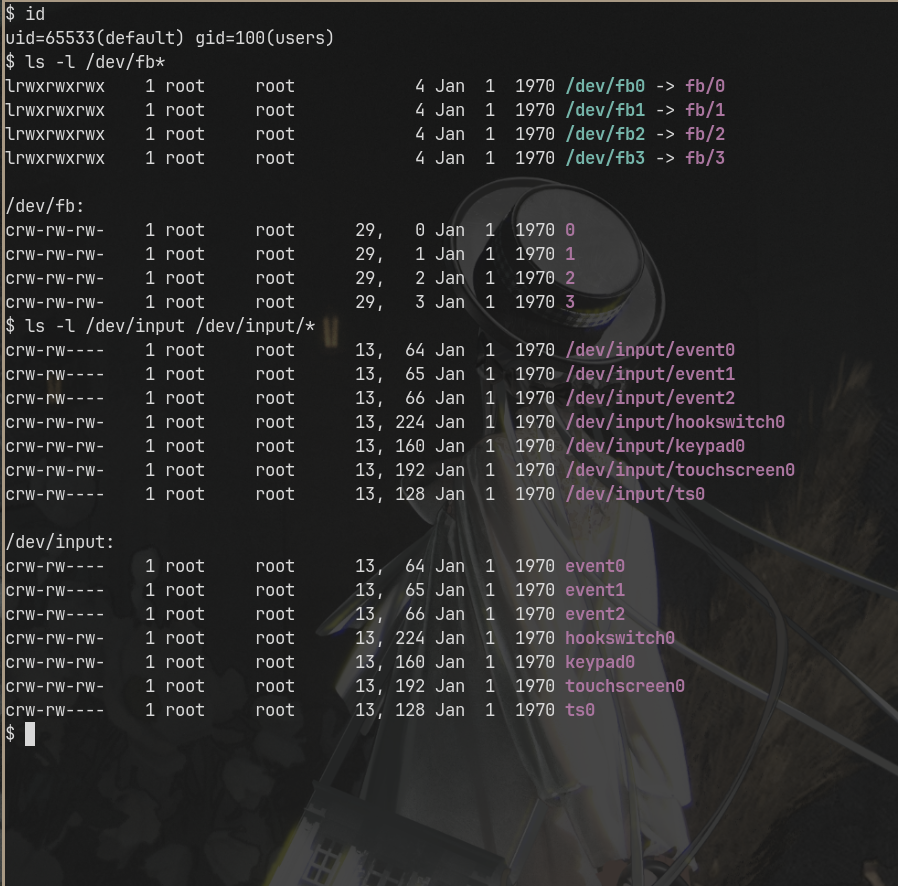
/dev/fb1 became the local DOOM display target.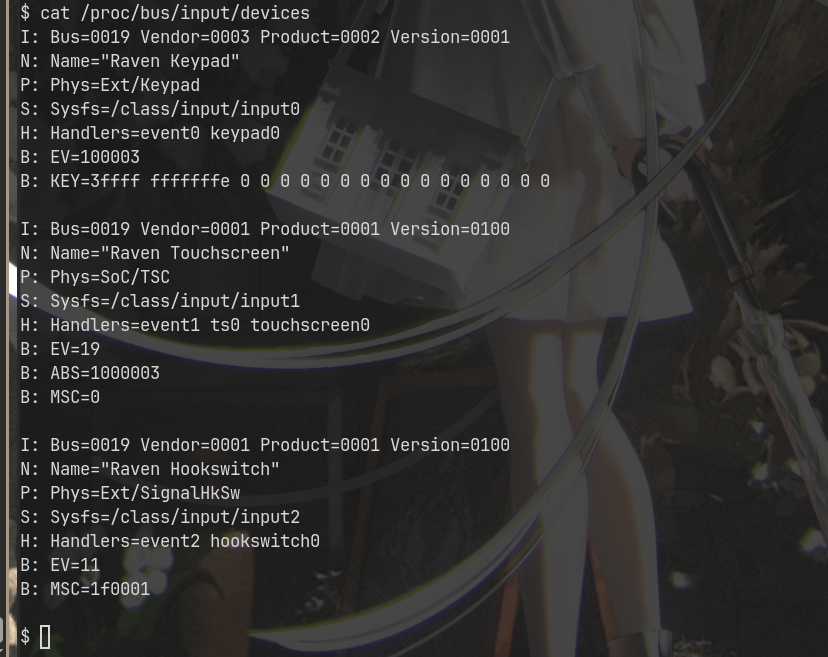
This was the point where the DTMF controller became history: native play could read the real Cisco keypad directly, without SIP key forwarding or a desktop-side bridge.
6 — Native DOOM
DOOM was then built for the CP-9951's ARM environment. The final local backend has no Cthulhu rendering, H.264 game stream or DTMF controller path:
DOOM engine
 → executes on the Cisco ARM CPU
 → renders directly to /dev/fb1
 → reads /dev/input/keypad0
 → uses the physical Cisco controls
 → returns to the Cisco UI on exit
The navigation cluster handles movement and menus, OK confirms, * fires, # uses/opens, and the red handset button exits cleanly.
From here on, the game loop, framebuffer rendering and keypad input all execute locally on the CP-9951 itself.
7 — Local sound: the last big runtime problem
Video and input were local; sound was the last major runtime problem. The completed build emits compact sound events to a small phone-local relay/service which produces 8 kHz G.711 μ-law RTP for the existing Cisco media system.
The physical fix for cable-free operation was to bind the RTP source to 127.0.0.1. With Ethernet available the configured phone address can be the destination; without Ethernet the service can fall back to loopback instead of dying on a missing route. Audible DOOM sound was physically verified on the real phone.
8 — Persistence: Applications → Doom
A native binary is nice. A phone that still needs a workstation and a shell command after every reboot is not finished.
The final installation lives persistently under:
/mnt/flash2/doom-v666
The normal Cisco Applications menu launches the phone-local endpoint:
http://127.0.0.1:8095/launch
An isolated persistent xinetd service uses Cisco's existing boot path. The game, Freedoom IWAD and helpers survive reboot; installer and rollback are part of the package. Normal use needs no manual shell command.
Final physical proof — 15 September 2026
The acceptance test removed the last ambiguity. Ethernet was physically disconnected. The phone was power-cycled from cold. No Cthulhu service was available. No shell service was started manually.
After boot: Applications → Doom.
disconnect Ethernet
remove power
cold boot from power only
open Applications
select Doom
play with the real Cisco keypad
hear local sound
exit with the red handset button
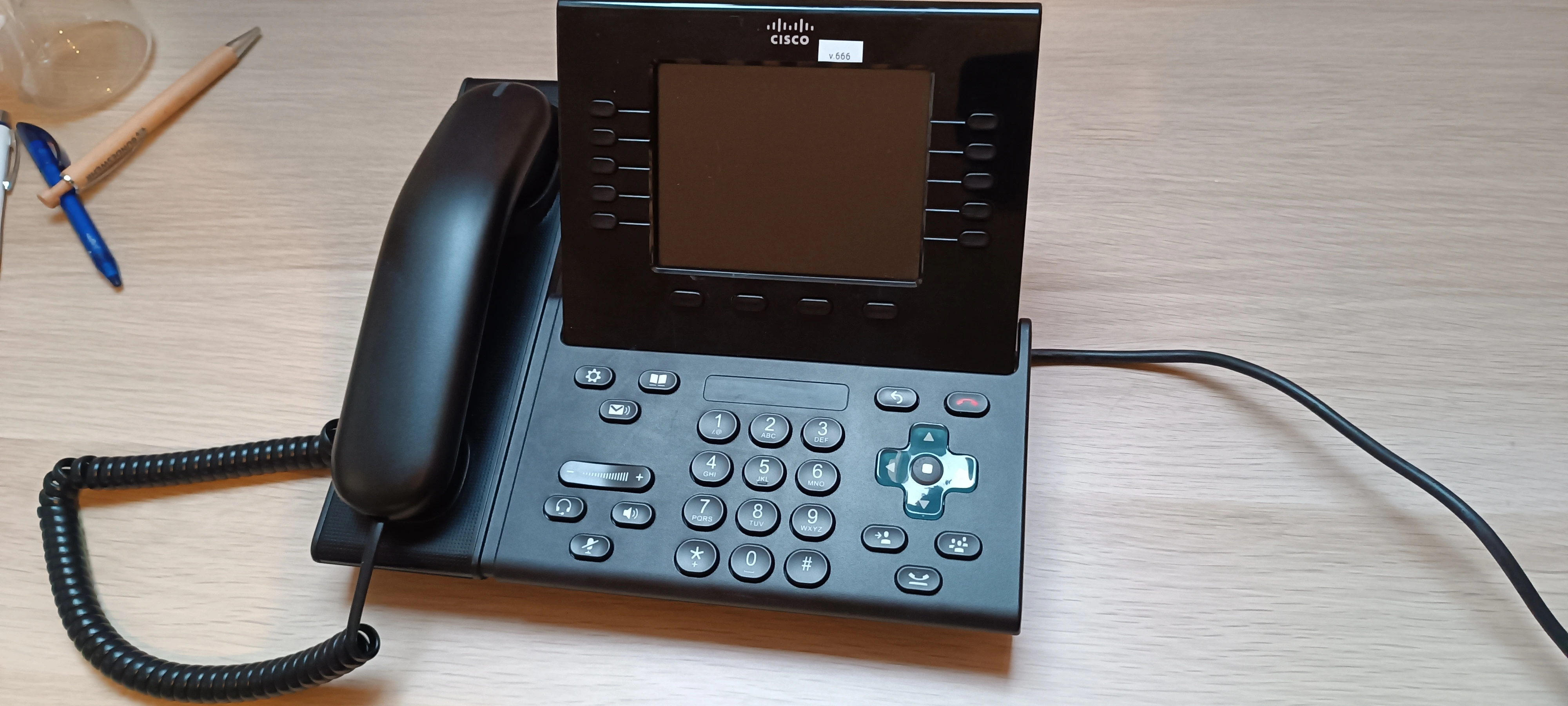
The player loads only after you press the button. Direct link: Cisco CP-9951 runs DOOM natively — v.666 offline cold boot proof.
The Cisco CP-9951 runs DOOM natively, locally, persistently and offline.
v.666 — release and source
Cisco CP-9951 DOOM v.666
The public package is Cisco9951-doom.doompkg and uses Freedoom Phase 2. It contains no Cisco firmware, proprietary Cisco libraries or commercial DOOM IWAD.
SHA-256
2f0c29fa6213bf0cdb0a5cb9124d083c1ccff54ce4009730917c371d784d4dbd  Cisco9951-doom.doompkg